
Augmented Violin Fingering Generation
How it works
Upload your image, PDF, or MusicXML sheet music file to automatically calculate and generate violin finger indices. This tool is not meant to replace teachers. Instead, it is designed to help students and interpreters gain inspiration and get guidance for their own artistic expression and interpretation of the piece.
Example
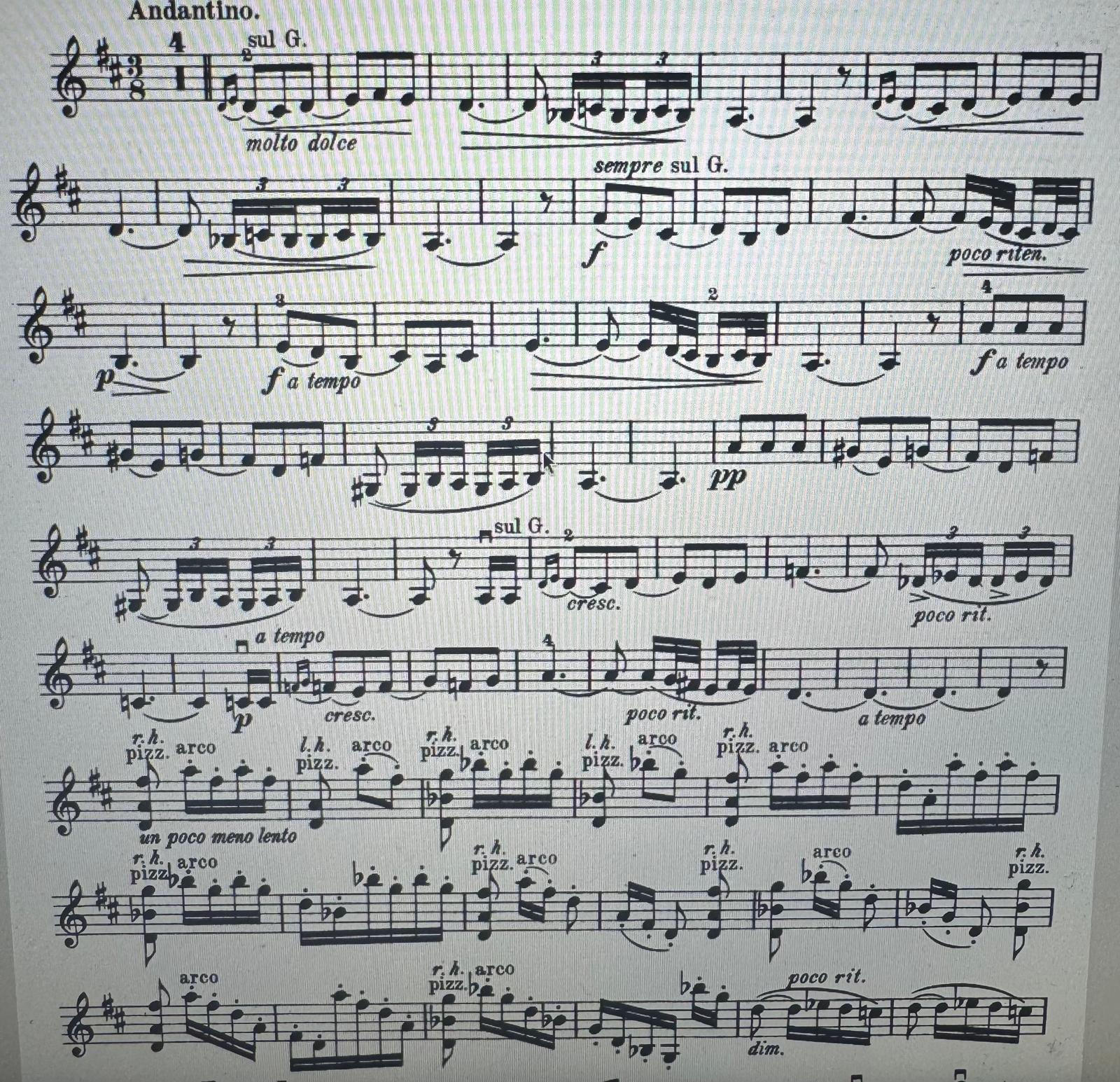
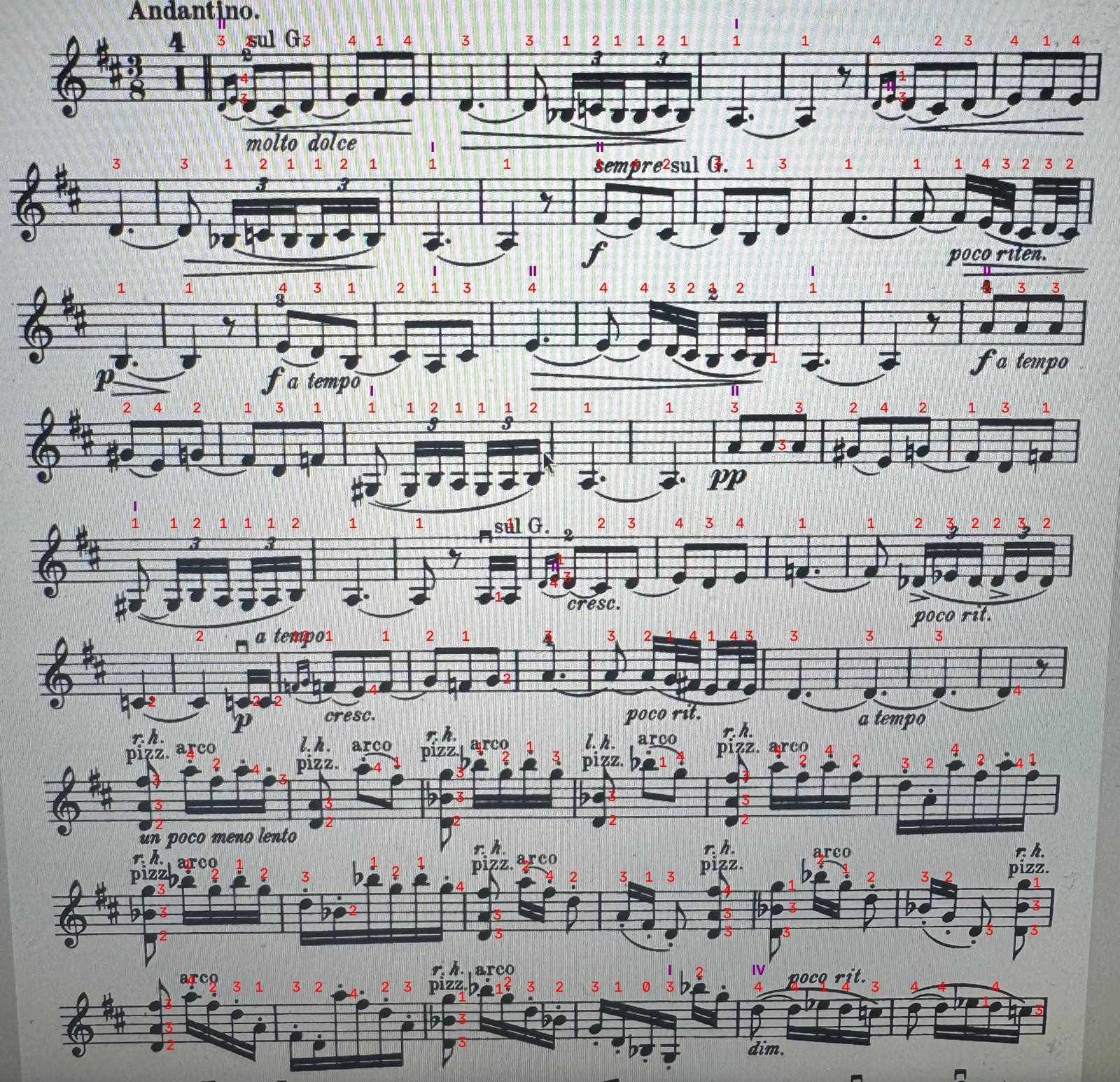
How the fingering recommendation works
The engine evaluates the entire piece to find a logical path for the left hand. It recommends fingering so that skill (ease of playing) and musical expression are balanced.
It evaluates specific violin techniques:
- • Extensions vs. Shifts: Favors finger extensions (like half-steps) over full hand shifts to maintain anchoring.
- • Single-Note Shifts: Avoids shifting to a position for only one note.
- • Vibrato: Selects fingers instead of open strings for long notes to ensure possibility for expession.
- • Bariolage: Minimizes rapid string crossing back and forth.
- • Sul G and D: Uses lower strings in higher positions for specific melodies, rather than crossing to higher strings.
- • Leading Tones: Keeps half-step intervals on the same string for intonation.
By adjusting the slider from 1 (Beginner) to 10 (Advanced), you can explore the continuous spectrum between technical ease and artistic expression:
- • Beginner (1 - 3): Prioritizes physical ease. Uses lower positions, minimizes shifting, and utilizes open strings.
- • Intermediate (4 - 7): Balances mechanics and tone. Uses standard shifts and extensions for phrasing.
- • Advanced (8 - 10): Prioritizes tone and phrasing. Uses complex shifts, higher positions, and specific string choices.
Try it yourself:
Get custom violin fingering recommendations for your own sheet music
- • Vertical perspective.
- • Good lighting.
- • Always include key and clefs.
- • Photos vs. PDF's: Don`t use digitally created photos (Bad Example). Use PDF filetype directly for that.